
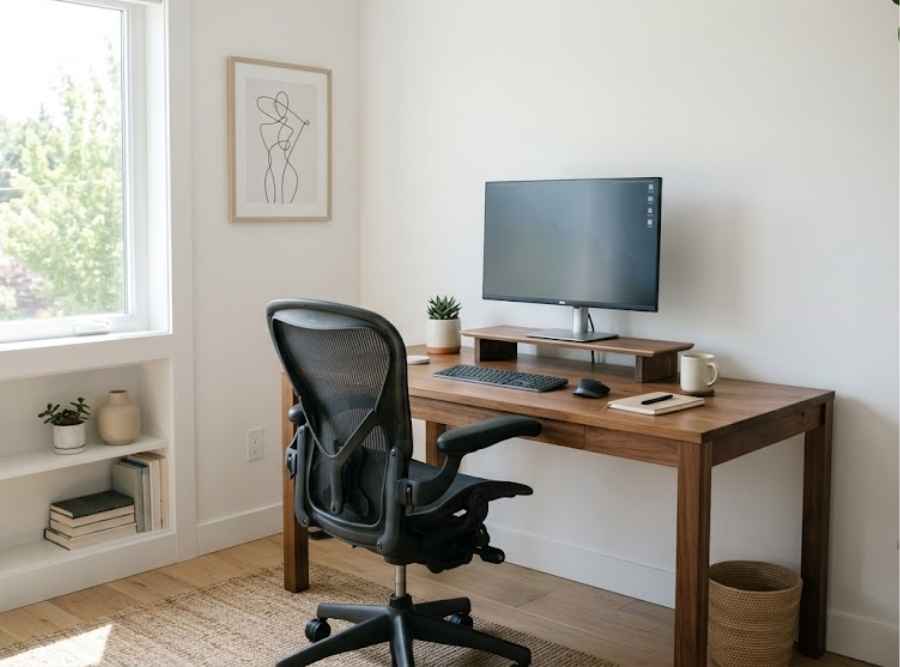
How Do You Set Up an Ergonomic Home Office?
The three adjustments that matter most for a home office are monitor height at eye level, proper lower-back chair support, and keyboard placement close enough to avoid rounding the shoulders forward. None of these require an expensive setup to get right.
A home office thrown together on a kitchen table or couch corner rarely supports good posture the way an intentionally set-up workspace does. Most of the fixes that matter don’t require an expensive overhaul.
The Three Adjustments That Matter Most
Monitor height is often the biggest culprit. A screen positioned too low forces the neck into a forward, downward tilt held for hours at a time. The top of your screen should sit roughly at eye level, which sometimes means propping a laptop up on books or a stand and using an external keyboard. Chair support matters nearly as much: a chair without proper lower-back support encourages slouching, while keyboard and mouse placement too far forward pulls the shoulders into a rounded position. All three compound each other when they’re off at the same time.
A laptop used directly on a table without any adjustments is one of the most common setups that gets all three wrong at once: screen too low, no separate keyboard, and a chair not built for sustained sitting. It’s also one of the easiest to fix, often for the cost of a stand and an external keyboard.
Small Habits That Reinforce Good Setup
Even a well-set-up desk doesn’t help much if you sit at it for eight uninterrupted hours. Getting up every 30 to 45 minutes, even briefly, meaningfully reduces the sustained pressure that builds during long stretches of sitting. A good setup and regular movement work together: the setup reduces strain while you’re sitting, and the movement breaks prevent that strain from accumulating unchecked.
Working from home often removes the built-in movement a commute or office layout used to provide, which is part of why home-office posture problems can develop faster than office-based ones. Rebuilding some of that movement deliberately helps close the gap.
When Home-Office Strain Doesn’t Resolve on Its Own
If neck or back stiffness persists even after adjusting your workstation, an evaluation can help determine what else may be contributing. Genesis Chiropractic provides individualized Gonstead chiropractic care in Appleton for exactly this kind of ongoing strain.
Frequently Asked Questions
Do I need an expensive standing desk to fix my posture?
No — budget-friendly adjustments like monitor risers, external keyboards, and proper chair support address most of the same issues a standing desk targets.
How do I know if my home office setup is actually the problem?
A good sign is whether your stiffness correlates with work days specifically. If it’s noticeably worse after long stretches at your desk, the setup is a reasonable place to start.

Dr. Alex and Dr. Maycee Sturino are the chiropractors at Genesis Chiropractic, a Gonstead-specific clinic in Appleton, Wisconsin serving patients throughout the Fox Cities. They use full-spine X-rays and hands-on analysis to pinpoint the exact source of a patient’s pain before making a precise, individualized adjustment. Dr. Alex is a U.S. Army veteran who served as a medic in the 82nd Airborne, and Dr. Maycee is Webster Certified through the ICPA for prenatal chiropractic care — together bringing a specific, patient-centered approach to every exam.